Universal Policy Administrator Documentation
Event History Report
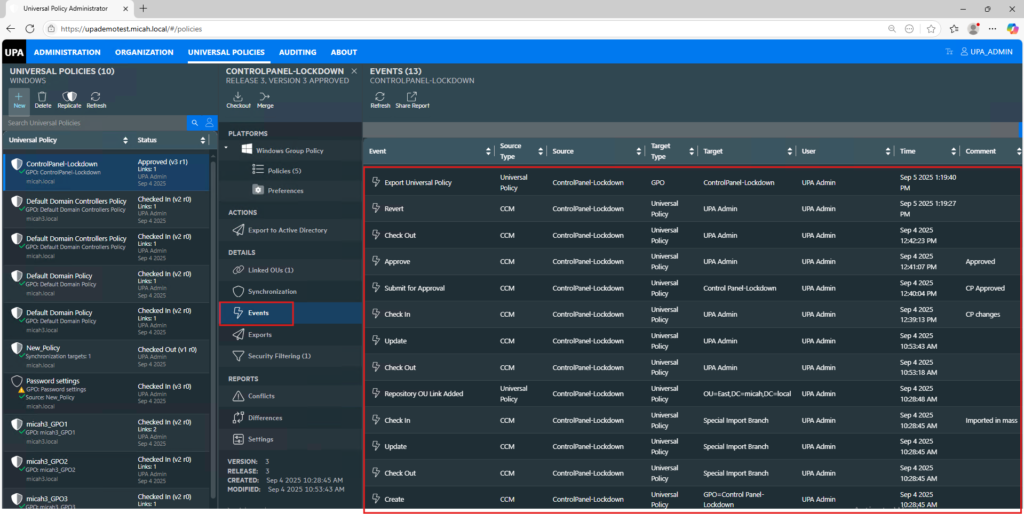
You can view the history of events for each policy. This helps with auditing and troubleshooting.
To view the history of events for a Universal Policy:
- Navigate to the Universal Policies tab.
- Select a Universal Policy.
- Click Events in the Details section.
- In the Settings Report tab, click on the release of the Universal Policy.
- View (and Search) the Universal Policy Events.
- Click Share Report to print or save the list of events to a pdf. If you only want to print out a selection of the events, search on a specific type of event (e.g., export) and then click Share Report.