
Importing Trusted and Untrusted Domains
To import a domain or OU into Universal Policy Administrator from the web console:
- Log in to the Web Console as an Administrator.
- Navigate to the Organization tab and click Import Domain.
- Enter the fully qualified domain name (FQDN) of a Domain or OU and click Next.
(Optional) You can do the import Now or schedule it for Later and then select an appropriate Date and Time. If you schedule it for Later, do a Refresh after the scheduled time to see the status.

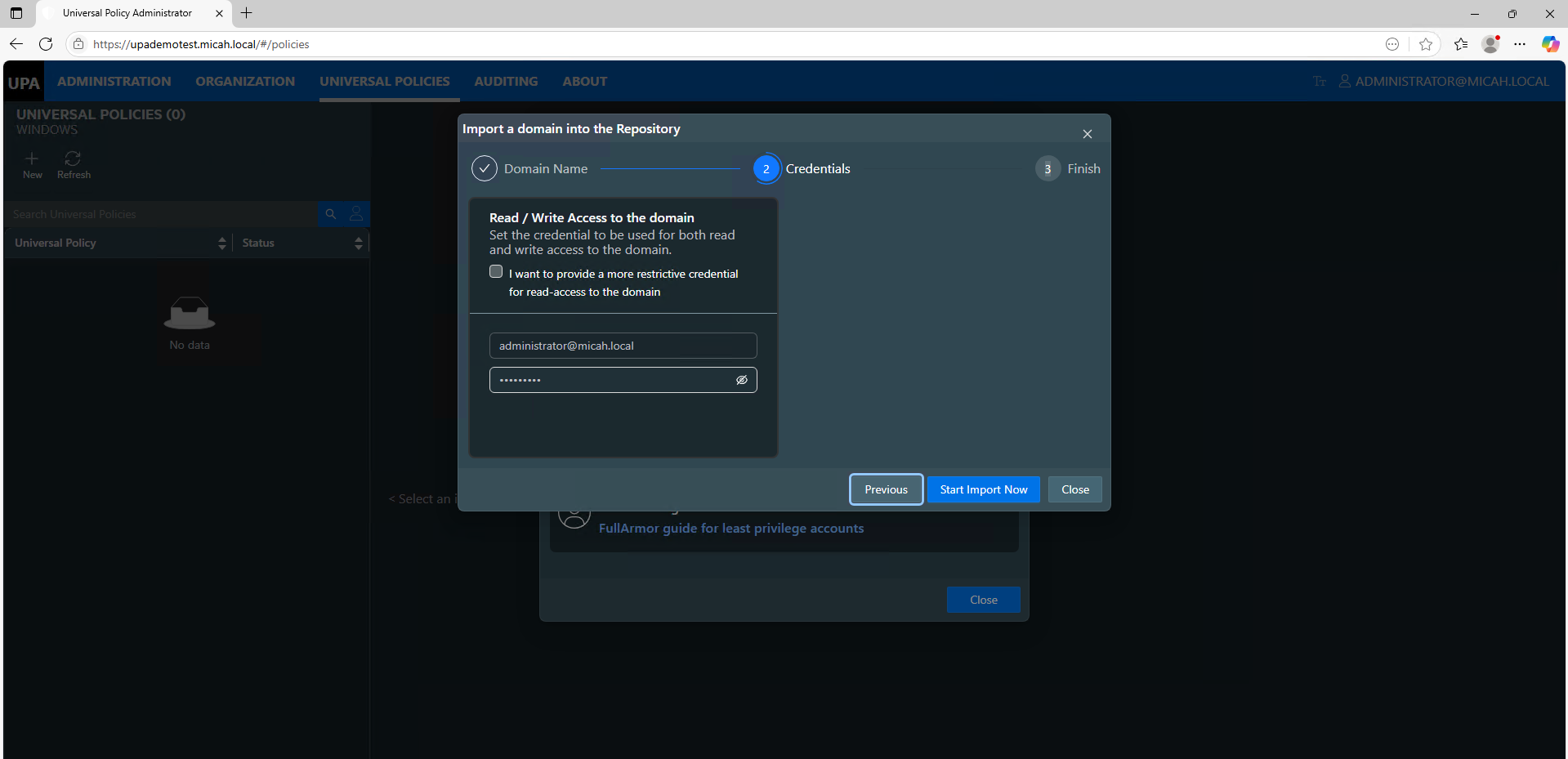
- Enter the User Principle Name (UPN) and Password to set up read or read / write access to the selected domain. UPN is your unique sign in name in the format username@domain.com.
- Click Start Import Now.
If you are using Least Privilege Access, enter your Service account credentials.
Optional Read/Write Permissions to the Domain
For more restrictive LPA permissions, you can separate the read/write access to the domain as shown below.


Depending on the size of your domain including number of GPOs and OUs, this process may take a while. You can see the status by going to the Organization tab and selecting on the domain / Import History as shown below.

If you have trouble connecting to an Untrusted domain, see our Troubleshooting doc.