Universal Policy Administrator Documentation
Replicating Policies
If you have multiple domains and you want to replicate or migrate Universal Policies between them, you can do this with Replicate.
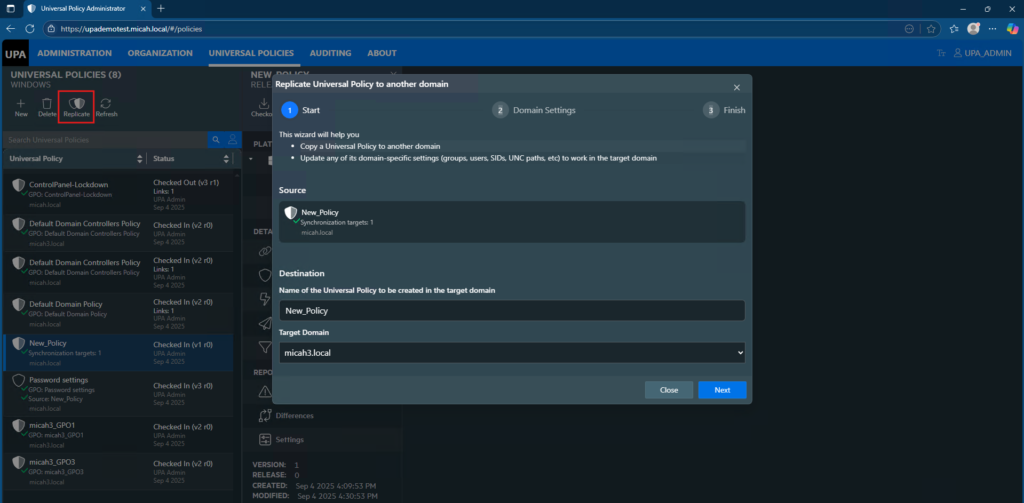
To replicate a Universal Policy from one domain to another from the web console:
- Log in to the Web Console as an Administrator and navigate to the Universal Policies tab.
- Select an existing Universal Policy and click Replicate.
- Enter a Name for the New Policy in the target domain.
- Select a Target Domain from the drop-down list.
- Click Next.
- Enter a Target role to migrate settings.
- If prompted, select the Target for the OU to which the Universal Policy is linked and click Next. This step is applicable only if the Universal Policy has an OU.
- Click Next and then Close.
If there are domain-specific settings that require mapping, you will be prompted to enter them.