Creating Universal Policies
Let’s start by creating a Universal Policy. There are 3 options for creating a new UP:
- From scratch as an Empty Universal Policy with no settings
- Import a GPO from Active Directory
- From a GPO Security Template
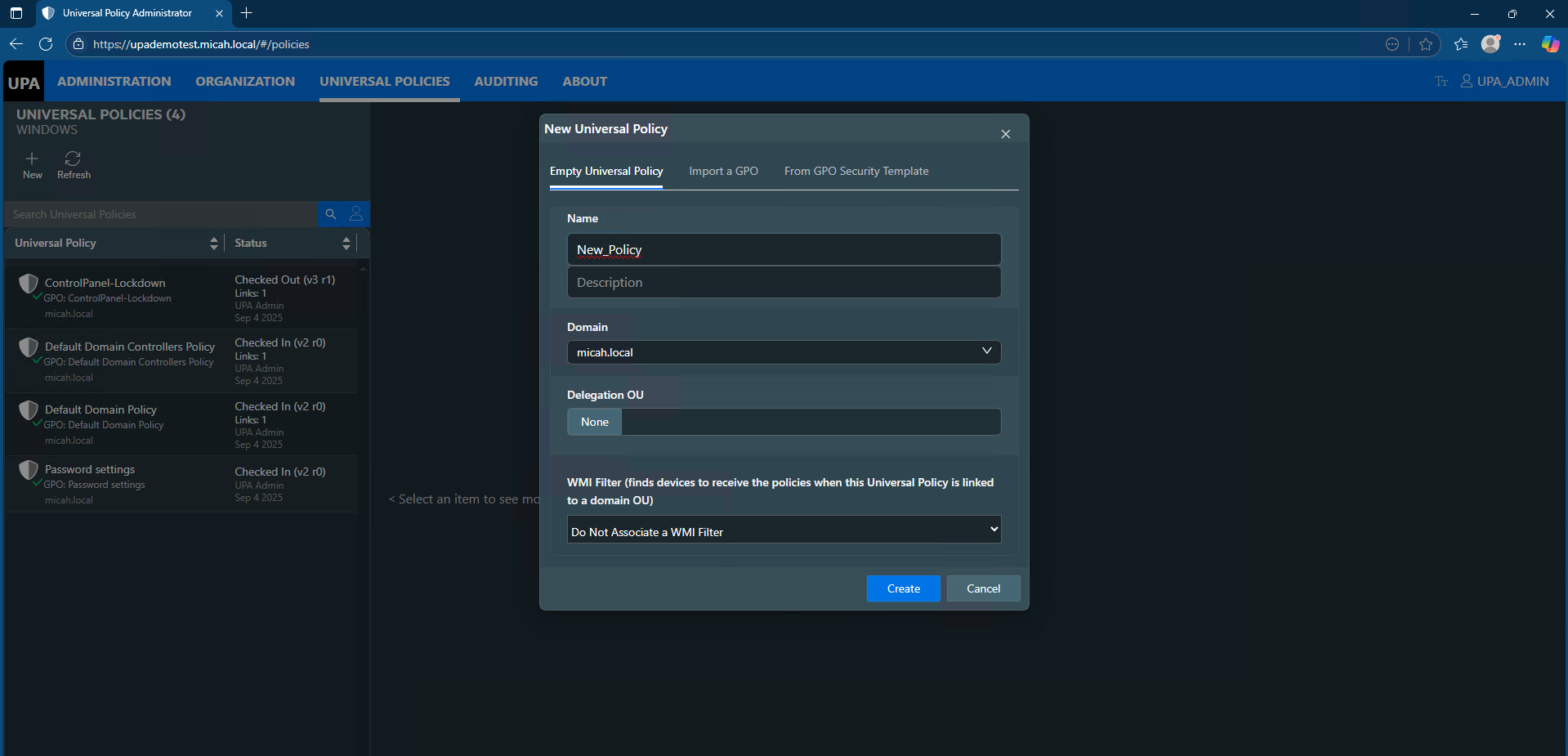
As shown in the dialog box below, select the type of policy that you would like to create. After the policy is created, it will show up as a policy in the list and it will be Checked out.
Creating an Empty Universal Policy or Importing from a GPO
To create a new Universal Policy from the web console:
- In the Universal Properties tab, click + New to open the New Universal Policy dialog box.
- Select Empty Universal Policy or Import a GPO.
- Enter a Name for the New Universal Policy.
- If importing a GPO from AD, from the pulldown menu, select a GPO to import.
- Enter the Domain.
- (Optional) Select a Delegation OU.
- (Optional) Select a WMI Filter for Domain OUs from the drop-down list.
- Click Create (or Import if importing a GPO).
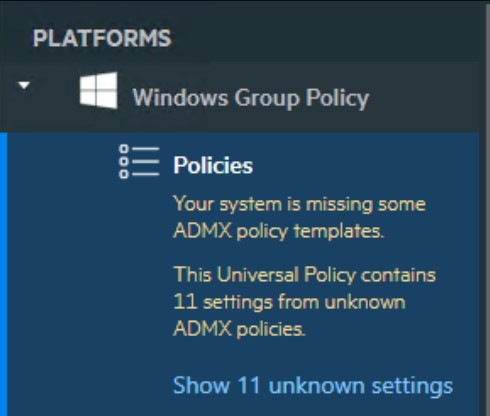
Note: If you import a GPO that includes ADMX policy templates that are not currently in the UPA database, when you click on the Universal Policy, you will see a notification in yellow that there are missing ADMXs. To include the missing ADMXs, see the Working with ADMX Templates section.
Creating a New Policy from a GPO Security Template
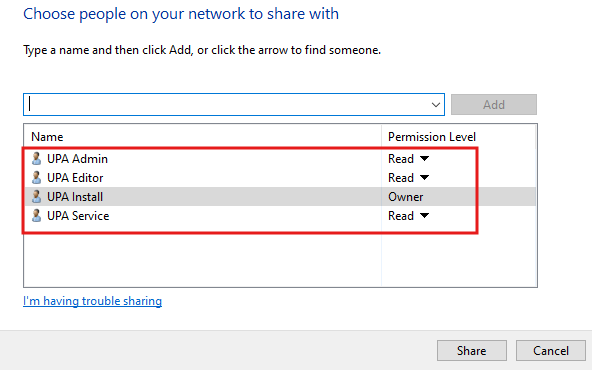
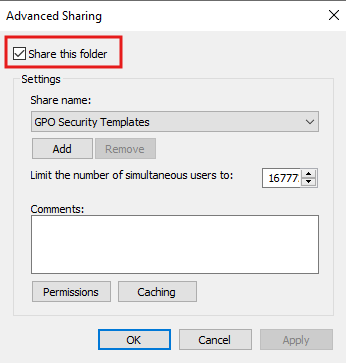
If you are creating a policy from a GPO Security Template, UPA will search for .INF files in a file share. If you are using Least Privilege Access (LPA) accounts, both the UPA Service and the user logging into UPA (e.g., UPA Admin or UPA Editor) must have Read Permission access to the file share as shown below.
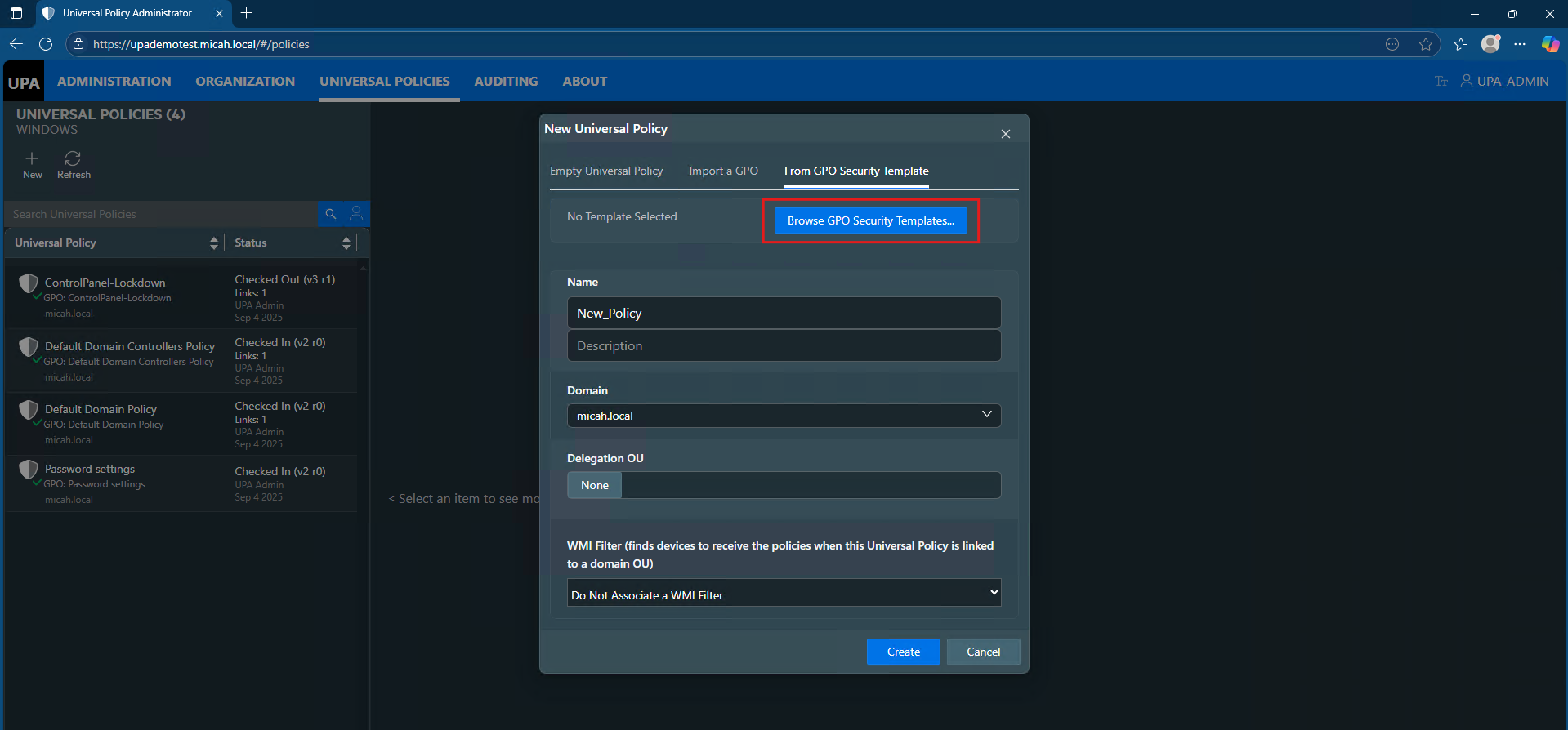
To create a new Universal Policy from a GPO Security Template:
- In the Universal Properties tab, click + New to open the New Universal Policy dialog box.
- Select From GPO Security Template.
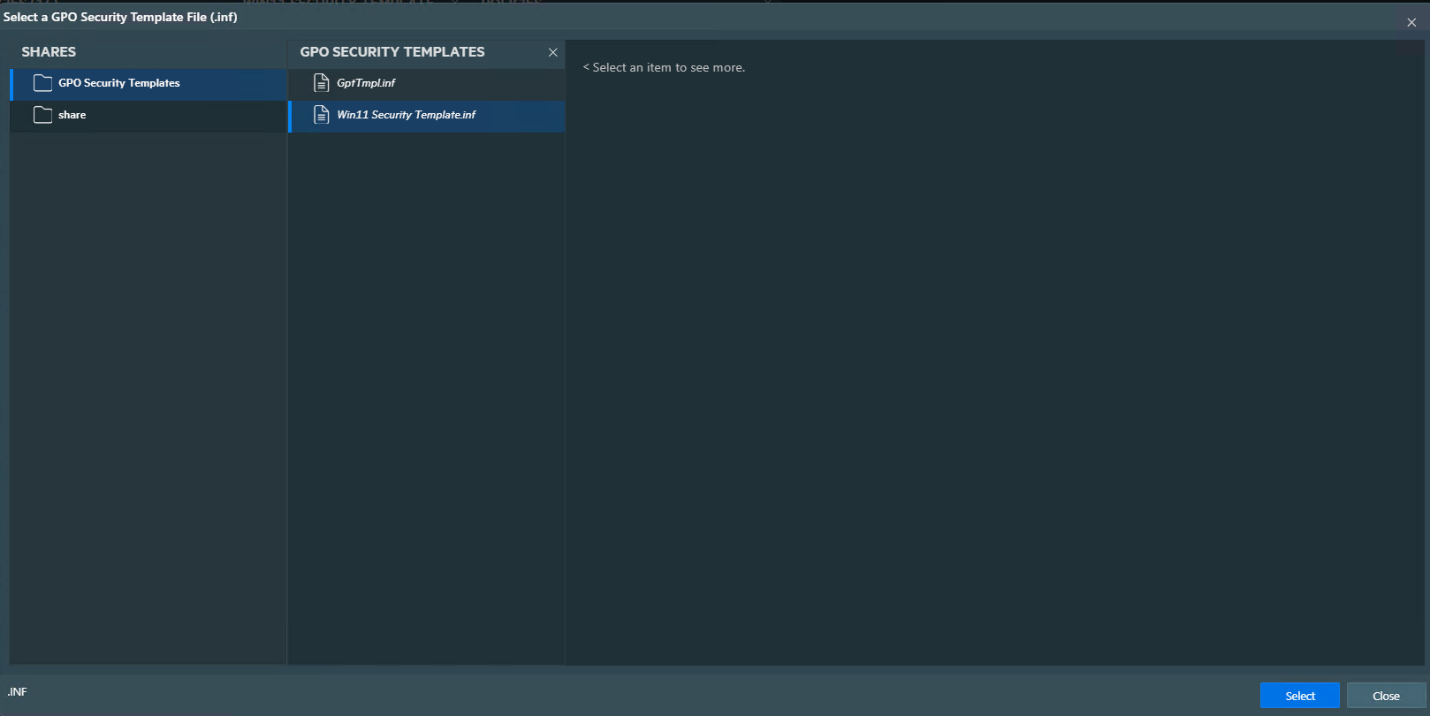
- Click to Browse GPO Security Templates…
- Select on the Shares and the .INF template and click Select.
- Name the template.
- (Optional) Select a Delegation OU.
- (Optional) Select a WMI Filter for Domain OUs from the drop-down list.
- Click Create.