Adding an Additional Group with Read, Write, or Modify Security to a GPO
Background
In the Group Policy Management Console (GPMC), delegation configured on the Group Policy Objects container (via the Delegation tab) only applies to permissions for creating GPOs in the domain.
Users granted Create GPO permissions can:
- Create and manage GPOs they own
- View other GPOs only if they have explicit read access
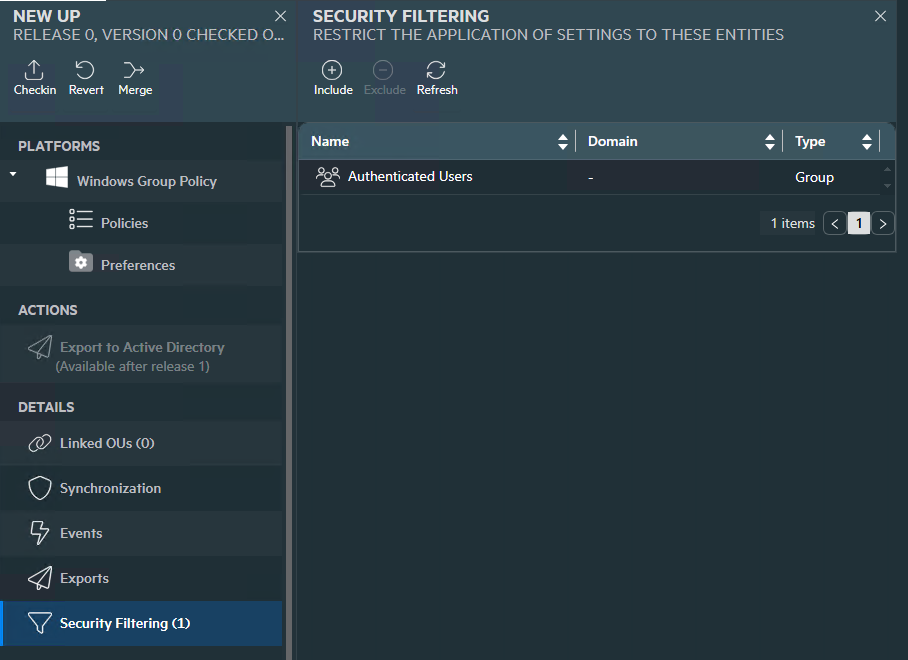
In most environments, GPOs are broadly visible because Authenticated Users are included in Security Filtering, which implicitly grants Read access.
However, some organizations require tighter control and may want to:
- Remove Authenticated Users
- Grant read, write (edit), or full permissions (edit, delete, modify security) to a specific group (e.g., auditing, security, or delegated admin teams)
Default Behavior
When a GPO is created, it inherits a default security descriptor defined in the Active Directory schema (DefaultSecurityDescriptor for the groupPolicyContainer class).
This can be modified using the Active Directory Schema MMC snap-in, but:
- Modifying the schema is global and permanent
- It introduces risk and change control overhead
Recommended Approach (UPA Configuration)
To avoid schema changes, UPA provides a configuration-based method to automatically assign desired permissions to a specified group.
Below are the permission settings:
- R (Read)
- W (Edit Settings)
- F (Edit settings, delete, modify security)
You can configure this behavior in the Gateway web.config file.
Configuration Steps
- On the machine where UPA is installed, go to:
C:\Program Files\FullArmor\AD Bridge\Gateway\WebApp - Open the Web.config file
- In the <appSettings> section, add the following key:
<add key=AddGPOReaders_domain.dns.name” value=”DOMAIN\GroupName:Permission” />
For multiple domains, add multiple keys, one for each domain.
You can also specify any valid SDDL permissions mask.
Examples:
For read permission:
<add key=”AddGPOReaders_micah.local” value=”MICAH\TestGroup:R” />
For Write (edit) settings permission:
<add key=AddGPOReaders_micah.local” value=”MICAH\TestGroup:W” />
For Full (edit settings delete, modify security) permission:
<add key=AddGPOReaders_micah.local” value=”MICAH\TestGroup:F” />
For custom permission*:
<add key=AddGPOReaders_micah.local” value=”MICAH\TestGroup:RPSDRC” />
*For certain combinations of custom permissions, GPEdit will show the popup stating that the SYSVOL permissions don’t match and the message pops up every time the GPO is clicked on, even after selecting ‘Yes’ to update the permissions. This is a bug in GPMC (this occurs if the same advanced permissions are set in GPMC).
- Save the file
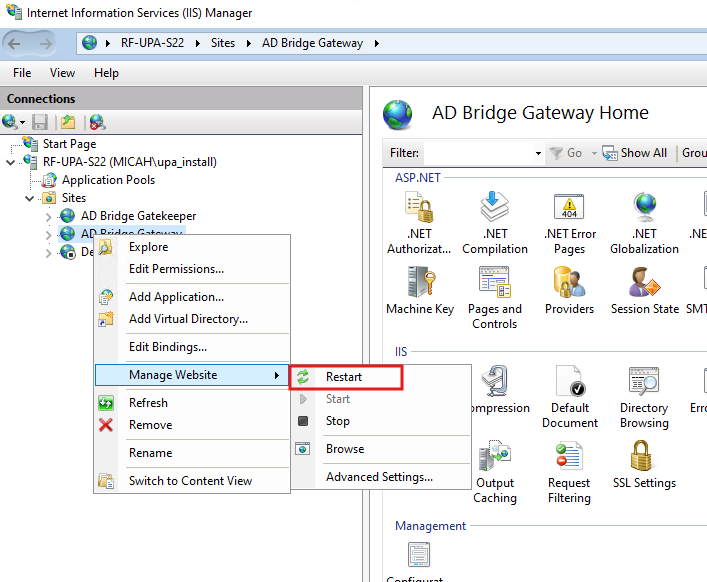
- After making the change, the UPA service in IIS needs to be restarted. It will be in IIS Sites, AD Bridge Gateway as shown below.
Behavior
When configured, the specified group is automatically granted the permission on GPOs in the following scenarios:
Supported Scenarios
- Create and Export
- A Universal Policy (UP) is created and exported to a new GPO
- Import, Modify, Export
- An existing GPO is imported into UPA
- Modified
- Exported back to AD
In both cases, the group is added to the GPO’s Delegation with the specified permission.
Please Note: If you are exporting a UP to an existing GPO that does not have the specified permission added, add ‘Authenticated Users’ or the group(s) that the GPO should apply to in the UPA Security Filtering.